How to Report a Fire
Please call Dispatch to report a fire, and feel free to send us a photo of what you are seeing at codrc@firenet.gov
Check for confirmed fires via the Watch Duty app.
Questions Dispatch will ask you:
- What are you seeing?
- Flames: how big
- Just smoke: what color is the smoke? How big is the column or is it just general smoke in the air?
- Where is the smoke or flame located - Please see the Steps below for pulling a coordinate from your google maps app
- Where are you located (where can you see the smoke from)?
- What is your name and phone number?
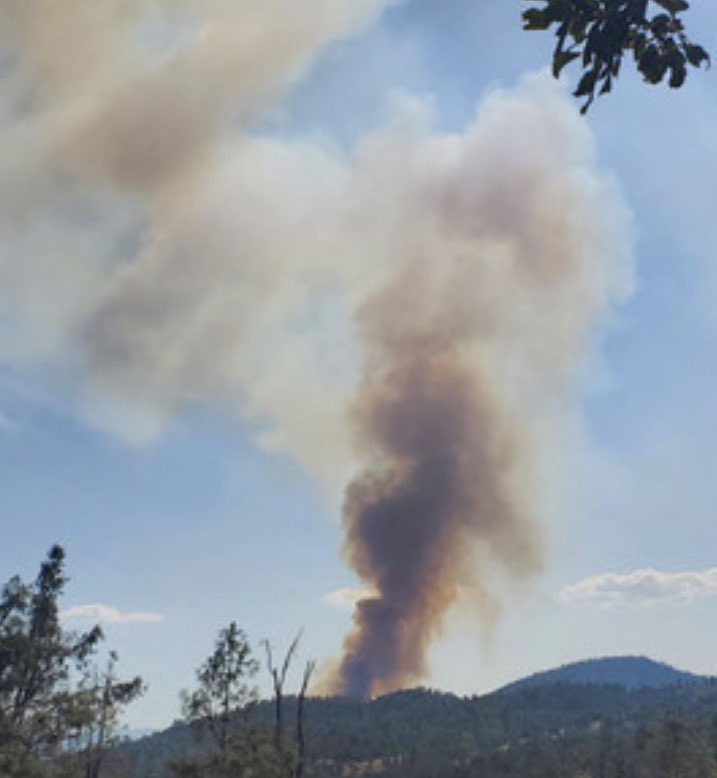
Medium to large column of black smoke
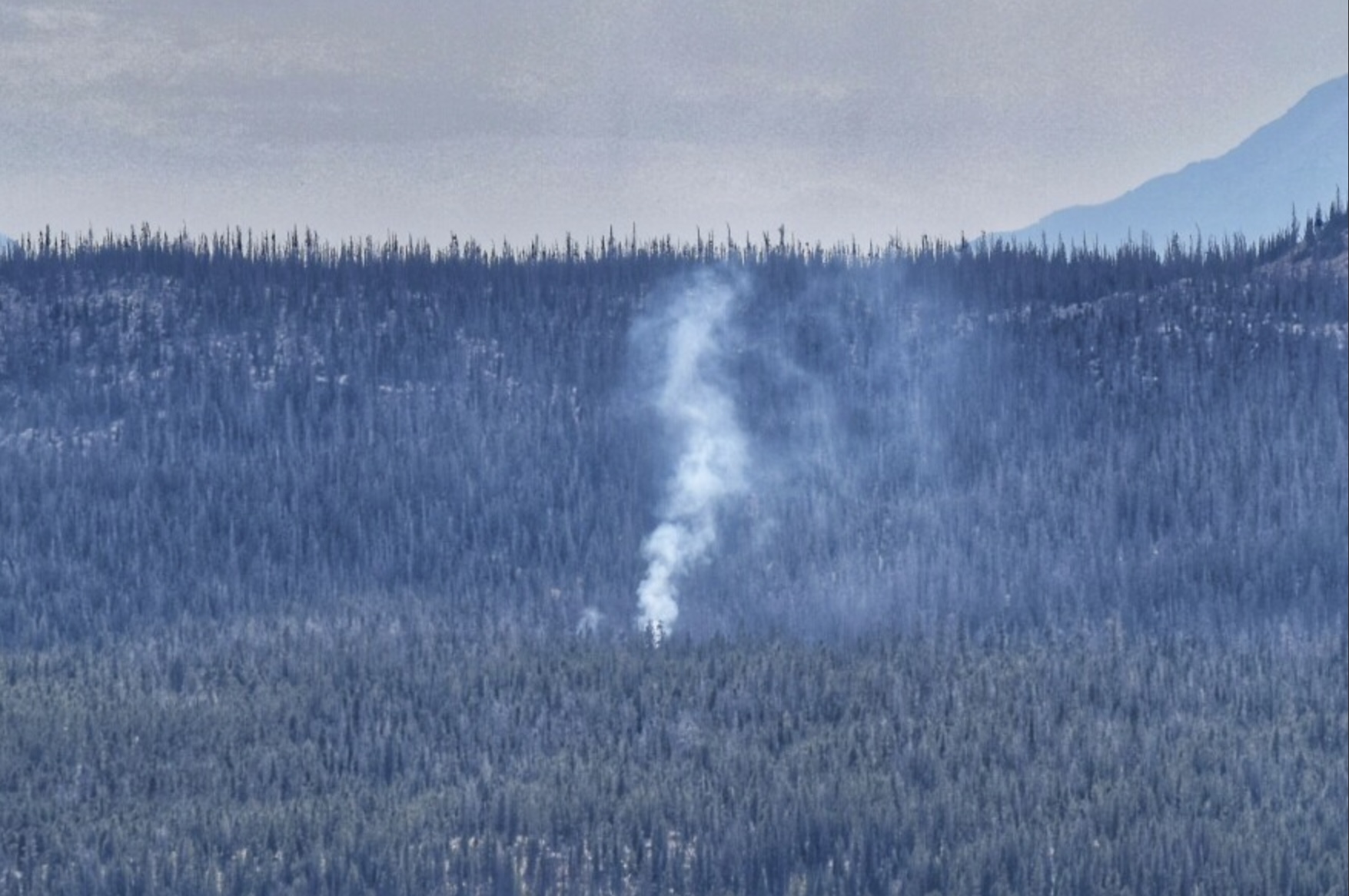
Small column of white smoke
You can always dial 9-1-1 to report a fire. If the fire appears to be on federal land, you can call Durango Interagency Dispatch at (970) 385-1324
How to get coordinates for fire report
Steps 1-3
Step 1: Open your Google Maps App.
Step 2: Zoom in on where you estimate the smoke/fire to be. Touch and hold the map at that location until the "Dropped pin" banner appears.
Step 3: The banner should appear at the bottom. The red pin now showing on the map is your estimated smoke/fire location.
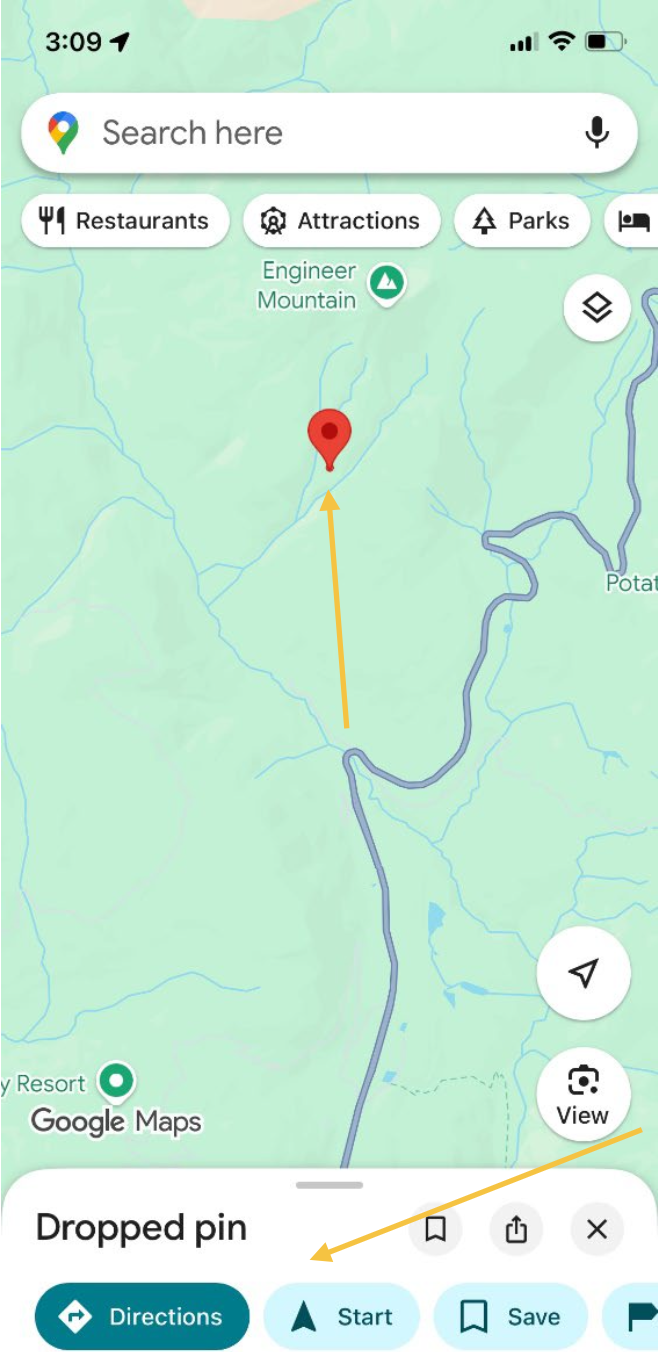
Step 4
Pull up on the "Dropped pin" window at the bottom, and then touch the blue box circled in the image to expand it.
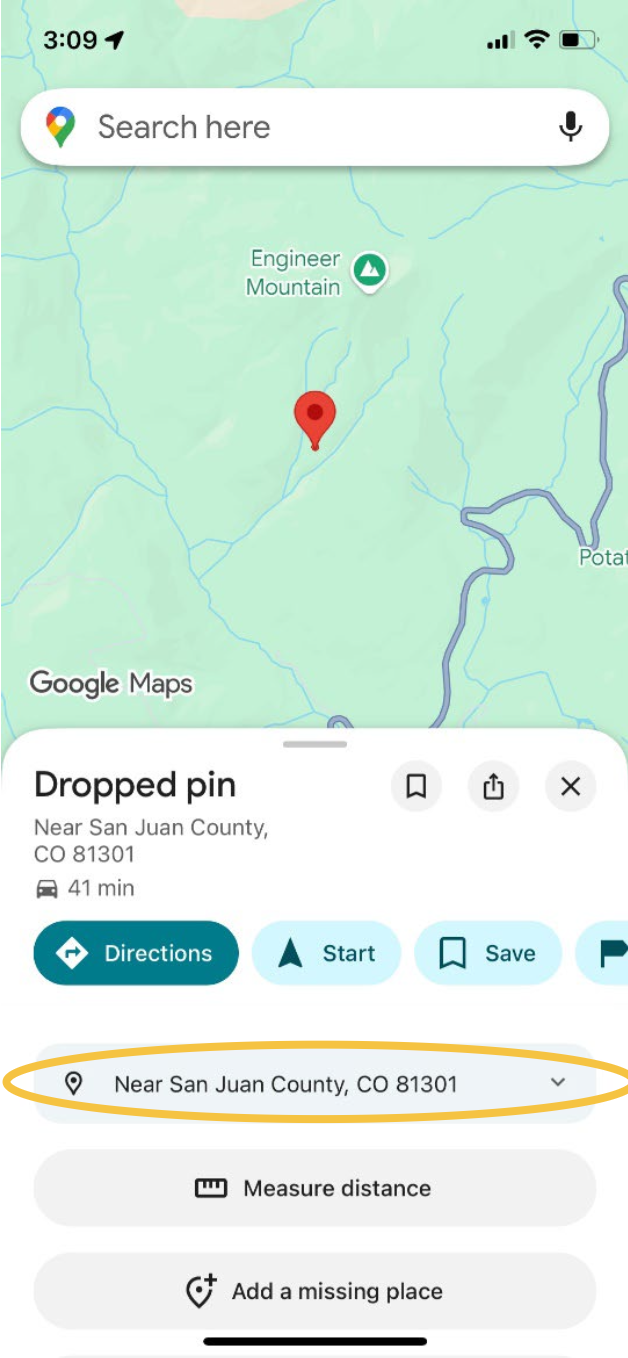
Step 5
Now that you have expanded the blue box, you should see coordinates for your smoke/fire.
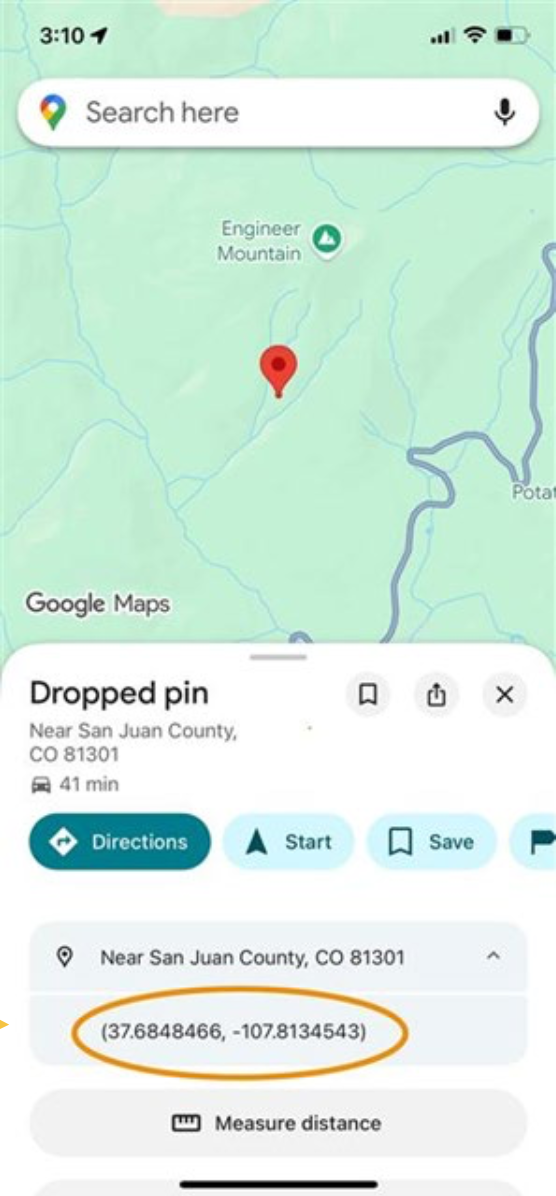
Step 6
Once you have the coordinates, contact us at (970) 385-1324 to report the smoke/fire location.


